

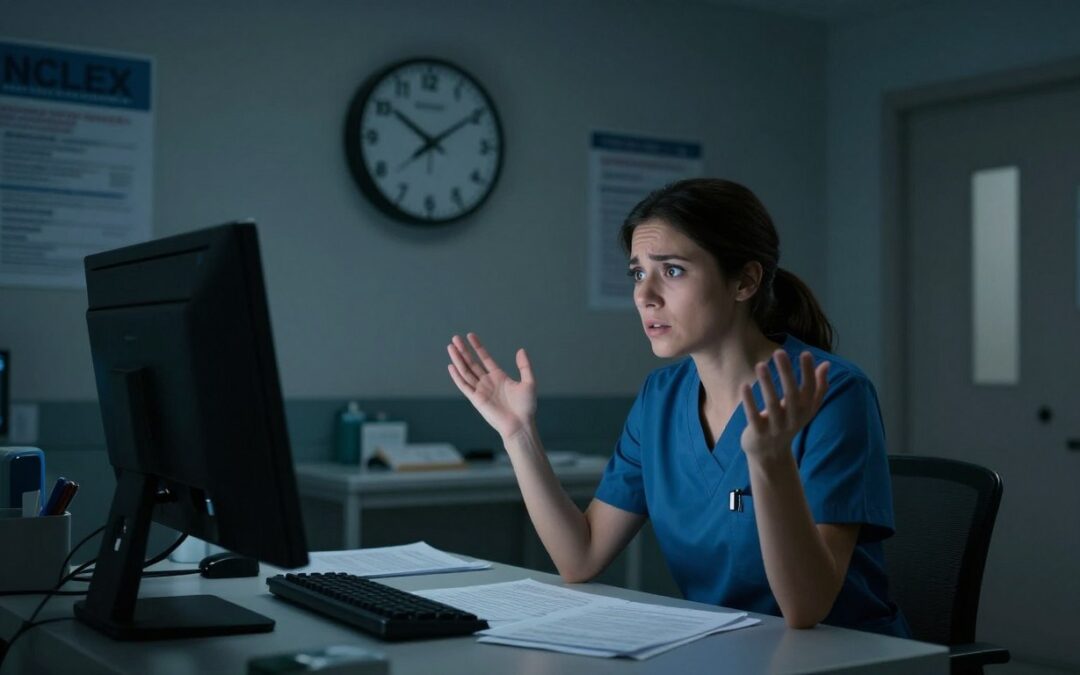
Did you know over 200,000 nursing candidates take their exams every year? Yet, only a small number face technical issues. A sudden system failure can be a nightmare for anyone taking a test.
Passing this exam is a big step towards starting your career. It’s normal to feel anxious about equipment problems. But, you’re not alone. Our team will help you understand the official steps to stay calm and ready.
Knowing how your testing environment works can give you clarity and confidence. We’ll look into what happens if the computer shuts off during NCLEX? and how centers deal with these issues to keep your results safe.
Key Takeaways
- Technical failures are extremely rare but have established recovery protocols.
- Testing centers prioritize your progress and data integrity immediately.
- You should notify a proctor instantly if your screen goes dark.
- Official exam boards maintain logs to ensure no questions are lost.
- Staying calm helps you resume your testing rhythm quickly.
Understanding the NCLEX Exam Process
The NCLEX is more than a test; it’s a deep check of your clinical skills. Preparing for it can seem tough, but breaking it down makes it clearer. Knowing how the exam works can boost your confidence and understanding.
What is the NCLEX?
The National Council Licensure Examination, or NCLEX, is the last hurdle for new nurses in the U.S. It checks if you have the knowledge and clinical judgment to practice safely. The exam tests your ability to apply nursing skills to real patient situations, not just memorization.
The exam is tough because it’s high-stakes. It tests your decision-making skills under pressure, a key skill for healthcare workers. Passing shows you’re ready to give top-notch patient care.
Importance of Computerized Testing
Switching to computerized testing changed how nursing boards test skills. Digital tests offer a more dynamic and secure setting than paper tests. This change ensures fair, standardized, and quick evaluations of your abilities.
Computerized testing has many benefits for both the board and you:
- Immediate data processing for quicker results.
- Stronger security to protect the exam’s integrity.
- A consistent test experience, no matter where you are.
- The chance to use multimedia and interactive questions.
Adaptive Testing Explained
The NCLEX’s core is the Computer Adaptive Testing (CAT) system. This smart software keeps track of your answers to guess your skill level. If you get a question right, the next one is harder. If wrong, it’s easier to see your knowledge level.
This system makes the exam fit your skill level. It’s efficient, measuring if you pass without too many questions. Your exam might end early, which is normal. Trust the process, as it aims to find your true skill level fast.
Common Reasons for Computer Shut Downs
Facing NCLEX technical difficulties is rare, but knowing the root causes can help ease your mind. Testing centers keep high standards, but technology isn’t always perfect. Understanding these issues helps you see they’re usually not your fault.
An unexpected NCLEX exam interruption can feel overwhelming. But, these issues are often minor infrastructure problems, not big errors. We can break these technical hiccups into three main areas.

Power Failures
Even secure testing facilities rely on the local power grid. Sometimes, a building might face a sudden power surge or outage. It is important to remember that testing centers often have backup systems to protect your data.
- Localized grid instability.
- Building-wide electrical maintenance.
- Accidental power cord disconnection.
Software Glitches
Modern testing software is designed to be strong, but it can sometimes have errors. A software freeze might happen if it fails to talk to the central server. These glitches are usually short and don’t delete your work.
The system saves your responses in real-time. So, even if the screen freezes, your work is safe in the database.
Hardware Issues
Physical equipment, like monitors or keyboards, can sometimes go wrong. A loose cable or a failing part might cause the screen to go black or stop responding. These NCLEX computer shutdown consequences are usually fixed quickly by on-site staff.
If you face a hardware issue, stay calm and tell the administrator right away. They are ready to fix these problems so you can get back to your exam fast.
Immediate Steps to Take if the Computer Shuts Off
If your testing station suddenly shuts down, stay calm. It’s a rare issue, but the testing environment is ready for it. By following the NCLEX computer shutdown protocol, your data stays safe while the staff fixes the problem.
Remain Calm
Take a deep breath and don’t panic. Staying focused is key when technology fails. The proctors are trained to handle these situations and will help you get back on track.
Alert the Test Administrator
When the screen goes blank, raise your hand to signal the proctor. Don’t try to restart the computer or touch any cables. Just wait for the administrator to arrive and start the NCLEX test restart process.
Follow Up Procedures
After the administrator fixes the issue, they’ll help you log back into your account. Resuming NCLEX after computer failure is a standard process. It makes sure you don’t lose any answers or time. After the exam, you’ll get a written report from the test center staff.
Impact on Your Test Results
When your screen goes dark during the exam, it’s normal to worry. Many candidates fear a technical glitch will ruin their hard work. But, these incidents are handled with strict protocols to protect your performance.
Will You Need to Retake the Exam?
In most cases, you won’t have to retake the whole exam due to a minor glitch. The testing software saves your progress continuously. If a brief power flicker happens, the system usually picks up where you left off once it’s back online.
You can be confident that your progress is safe. Unless there’s a major system failure, your answers are stored in the database. The administrators are trained to handle these situations, ensuring your testing experience is fair and valid.
Understanding NCLEX Scoring
Many think the exam is based on how many questions you answer. But, the NCLEX assesses your demonstrated level of competence. The algorithm checks if you can make safe, effective nursing decisions, not how many questions you see.
Because scoring is based on your proficiency, a brief pause doesn’t affect your standing. The computer resumes the evaluation process once you’re back online. Your final result shows your clinical knowledge, not the technical stability of your workstation.
Temporary vs. Permanent Shutdowns
Telling apart a temporary glitch from a permanent failure is important to manage stress. A temporary shutdown is usually fixed in minutes by the test center staff. These minor interruptions are seen as part of the standard testing environment and don’t affect your score.
A permanent system failure is very rare and only happens if the hardware is completely unusable. If this happens, the testing center will guide you on rescheduling. You can be sure that the NCLEX computer shutdown consequences are rarely as bad as they seem in the moment.
Technical Support During the NCLEX
When your screen goes blank, knowing who to turn to for help is key. We aim to support you fully if you face computer problems during the test. Pearson VUE offers a setup to quickly handle NCLEX technical difficulties with professionalism.

On-Site IT Assistance
Every testing center has staff ready to fix hardware and software issues. If you see a freeze or shutdown, raise your hand right away. These experts are here to help you succeed with NCLEX software crash resolution.
Reporting Issues
It’s important to document the problem before leaving the testing room. Reporting the exact time and nature of the glitch helps protect your candidacy. This ensures your exam progress is tracked and any needed adjustments are made.
Contacting Pearson VUE
If the on-site team can’t fix the issue, they’ll contact the central support office. They’ll help you through the NCLEX test restart process so you can continue without losing your work. Just follow their instructions to smoothly resume NCLEX after computer failure.
| Support Level | Primary Responsibility | Action Required |
|---|---|---|
| On-Site Proctor | Immediate hardware check | Raise hand and report issue |
| IT Technician | Software troubleshooting | Follow staff instructions |
| Pearson VUE Support | Exam record management | Verify incident documentation |
Preparing for the Unexpected
Having a proactive mindset is key when facing the unknown at the testing center. You can’t control every technical issue, but you can prepare for surprises. Focus on these strategies to keep your mind on the questions, not the equipment.
Tips for Technology Troubleshooting
If a technical problem arises, knowing basic NCLEX exam troubleshooting steps is helpful. Don’t try to fix the hardware yourself, as it might break the rules. Instead, raise your hand to alert the proctor.
Keep your hands off the keyboard and mouse until the proctor arrives. They are trained to handle these issues. Staying patient during this pause is key to protecting your progress.
Best Practices Before Your Exam Day
Preparation begins long before the exam. Familiarize yourself with the NCLEX computer shutdown protocol from Pearson VUE. Knowing what to do if the screen freezes can reduce your anxiety.
Make sure you know the rules about electronic devices and personal items. Being informed helps you feel in control. When you know the rules, you can focus on your nursing knowledge.
Mental Readiness for Surprises
Mental toughness is as important as your clinical knowledge. If there’s a minor NCLEX software crash resolution, take a deep breath. Use that moment to reset your focus. Remember, these issues are rare and don’t reflect your exam ability.
Visualize yourself staying calm and focused, no matter what. Confidence is a powerful tool that helps you stay concentrated. Preparing your mind for surprises sets you up for success, no matter what happens.
User Experiences and Testimonials
Listening to those who have gone before can boost your confidence. The quiet of a computer screen can seem scary, but many find their fears are not real. We share these stories to help you stay focused on becoming a licensed nurse.
Real Stories from Test Takers
Many students feel a rush of panic when the screen goes dark or the exam ends suddenly. Usually, this is just the system reaching a statistical confidence level. One student thought her computer had crashed, but she had actually finished the required questions.
Another test taker found the technical setup intimidating, but the staff at the testing center was professional. These stories show that what seems like a catastrophic failure is often just part of the testing process. You’re not alone in these moments.
Lessons Learned
The most important lesson is to stay calm. If a technical issue happens, raise your hand and tell the administrator. Don’t try to fix it yourself, as it could affect your exam.
Successful nurses say not to let technical problems get you down. Instead, see it as a brief pause. Once fixed, take a deep breath and focus again.
Advice from Experienced Nurses
Experienced nurses suggest preparing for the unexpected. Practice in different places to build your resilience. This helps you stay calm, even if the testing center is not perfectly quiet.
We’ve put together a table to help you understand common fears and what really happens during the test.
| Common Concern | Reality | Recommended Action |
|---|---|---|
| Computer shuts off early | System reached confidence level | Remain calm and exit |
| Minor software lag | Standard network latency | Wait patiently for response |
| Unexpected power flicker | Facility backup systems active | Notify staff immediately |
| Distractions in the room | Normal testing environment | Use provided earplugs |
Navigating Test Anxiety
The journey to becoming a nurse is full of challenges. Managing your nerves is a big part of it. You’ve worked hard to prepare, but the exam environment can feel overwhelming. Remember, your success depends on thinking clearly under pressure.
The NCLEX tests your clinical judgment, not just memorization. Stress can make your brain struggle with complex scenarios. Stay calm to let your training shine through.
Learning to Manage Stress
Learning to manage stress is key for the exam and your nursing career. When faced with a tough question or a technical pause, take a deep breath. This simple act resets your nervous system and clears your mind.
See the exam as a series of puzzles, not one big challenge. If your heart rate goes up, acknowledge it without judgment. Staying grounded in the moment helps keep anxiety from clouding your thinking.
Mindfulness Techniques Before the Test
Adding mindfulness to your routine before the exam can boost your mental clarity. Try short, guided meditations in the weeks leading up to your test. These exercises help your brain stay calm when distracted.
Visualization is also powerful. Spend time each day imagining yourself calmly answering questions with confidence. This mental rehearsal helps you handle surprises on test day.
Staying Focused Amid Distractions
Even in a controlled setting, distractions can occur. Whether it’s a keyboard sound or a technical glitch, your ability to refocus is key. Use a “reset” phrase, like “I am prepared and capable,” to quickly regain your focus.
If your attention wanders, close your eyes for five seconds and refocus on your breathing. This brief pause can help break the cycle of worry. You have the knowledge and skills to succeed, no matter the environment.
| Technique | Primary Benefit | Best Time to Use |
|---|---|---|
| Deep Breathing | Lowers heart rate | During a technical pause |
| Visualization | Builds confidence | Days before the exam |
| Positive Affirmation | Reduces negative self-talk | When feeling overwhelmed |
| Grounding Exercises | Restores focus | Mid-exam distraction |
Resources for NCLEX Candidates
Having the right tools can make a big difference on test day. Accessing quality information makes you feel empowered and ready for anything during your exam.
Official NCLEX Website
The National Council of State Boards of Nursing (NCSBN) is your go-to for accurate testing info. Their site has all the details on exam policies, how to register, and what to expect on test day.
Reading these official documents is key to your prep. Knowing the rules helps you feel clear and calm on exam day.
Recommended Study Materials
Many find success with reputable study guides and practice platforms. These often include tips on test-taking strategies to keep you calm.
Look for resources with realistic practice simulations. These help you get used to the computer interface, reducing tech anxiety.
Online Forums and Support Groups
Connecting with peers offers emotional support and advice. Online communities let you discuss NCLEX exam troubleshooting steps with those who’ve been through it.
Sharing experiences in these forums can be very reassuring. Learning how others dealt with unexpected issues helps you prepare for your own journey.
Conclusion: Moving Forward After an Incident
Technical problems can be really tough when you’re trying to get your nursing license. It’s stressful to wonder what happens if the computer shuts off during NCLEX.
Pearson VUE makes sure your work is safe. They have systems to handle rare technical issues. This keeps the exam fair for everyone.
Your future in healthcare is bright, even with small tech problems. Keep your focus on your clinical skills and study dedication.
Stay positive on your career path. If you worry about the computer shutting off during NCLEX, remember you can handle it well.
Keep your eyes on your goal of safe patient care. Your journey to becoming a nurse is about your skills and heart, not a machine glitch.